How to Keep KidMoat Running in the Background on OnePlus?
OnePlus's OxygenOS shares its power management with OPPO's ColorOS — an "intelligent" battery controller that decides for itself which apps to close. It is also the brand best known for quietly reverting these settings after updates, so treat this page as one to come back to, not a one-off.
The steps apply to Android 12 and above. OxygenOS has renamed menus between versions — if a label below doesn't match your child's phone exactly, the Settings search box will find its current name.
All of these settings live on the child's OnePlus — the phone with the KidMoat child app on it.
Step 1 — Battery optimization: Don't optimize
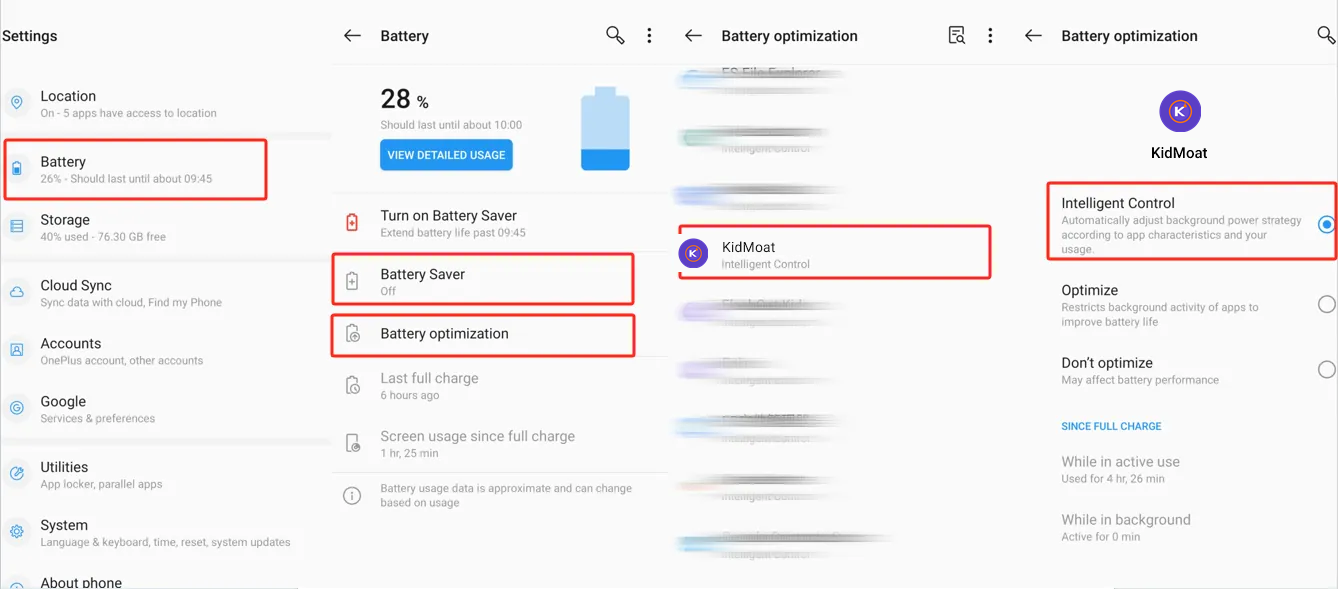
Go to Settings → Battery → Battery optimization and tap KidMoat. You will see three options — Intelligent Control, Optimize and Don't optimize. Choose Don't optimize. Intelligent Control is the default, and it is exactly the automatic killer this guide exists to switch off.
Step 2 — Unrestricted data
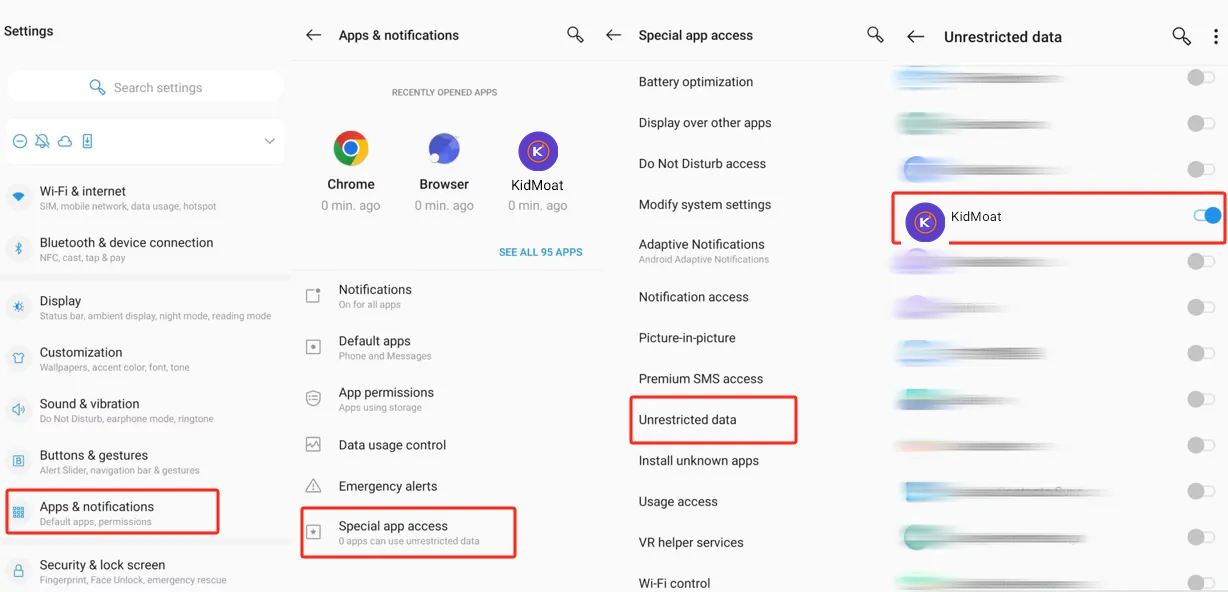
Go to Settings → Apps & notifications → Special app access → Unrestricted data and switch KidMoat on, so Data Saver can never cut its background connection.
Step 3 — Know where Accessibility lives
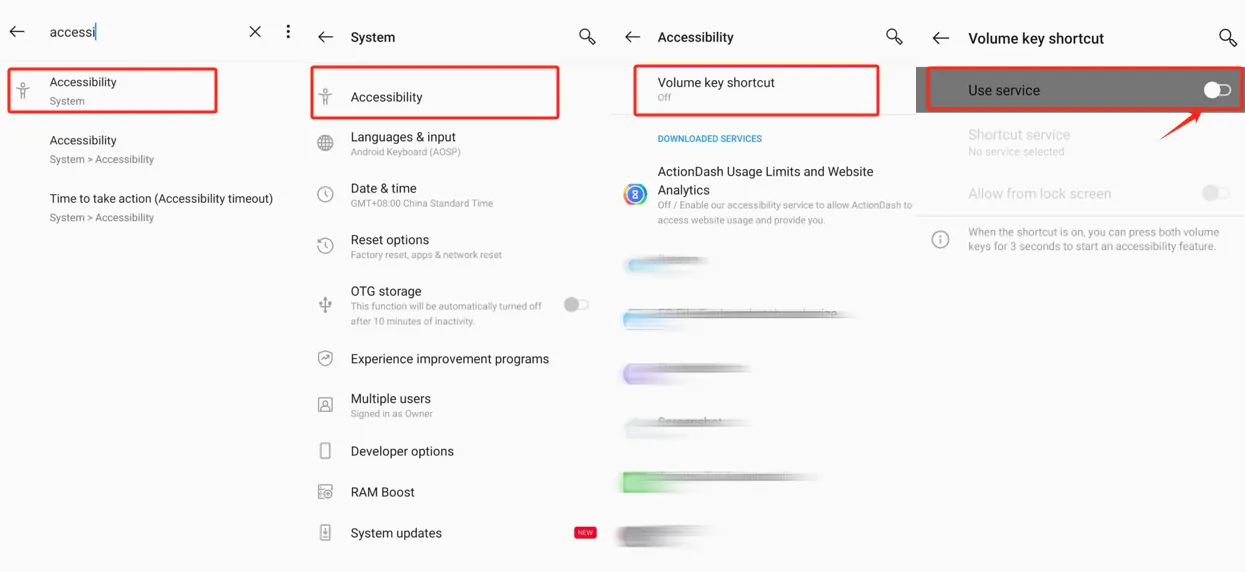
KidMoat's protection uses an accessibility service. If the phone ever disables it, this is where it is restored: search accessibility in Settings, or go to Settings → System → Accessibility, and check KidMoat's service is on under Downloaded services. Nothing to change today if it is already running — just know the route.
Check it worked
The child's phone should show online in your parent dashboard and stay online overnight, with no gaps in reports over 48 hours.
OxygenOS is known to revert battery optimization settings on its own — after updates, and sometimes without one. Make a habit of re-checking step 1 monthly, and after every system update on the child's phone.
Something still off? Start from the overview — How to keep KidMoat running in the background on Android.
Related Posts
How to Keep KidMoat Running in the Background on Android?
Android saves battery by quietly killing apps that run in the background — and a parental control app that has been killed protects no one. Here is why it happens, the settings that stop it, and the exact steps for nine device brands.
How to Keep KidMoat Running in the Background on Huawei?
On Huawei, one screen decides everything: App launch. Set KidMoat to Manage manually with all three launch options on, plus the data and battery settings around it — for HarmonyOS 4 and HarmonyOS 2–3.
How to Keep KidMoat Running in the Background on Motorola?
Motorola runs near-stock Android, so this is a short one: unrestricted battery, background data, notifications on, and Adaptive Battery off. Four steps.
See how KidMoat works
Set the day’s limit together, keep distractions out of study hours, and switch to Exam Day in one tap. Works whether the phone is theirs or yours.
See how it works