Built in India by parents
Less scrolling. More studying.
You set the hours. They learn to keep them.
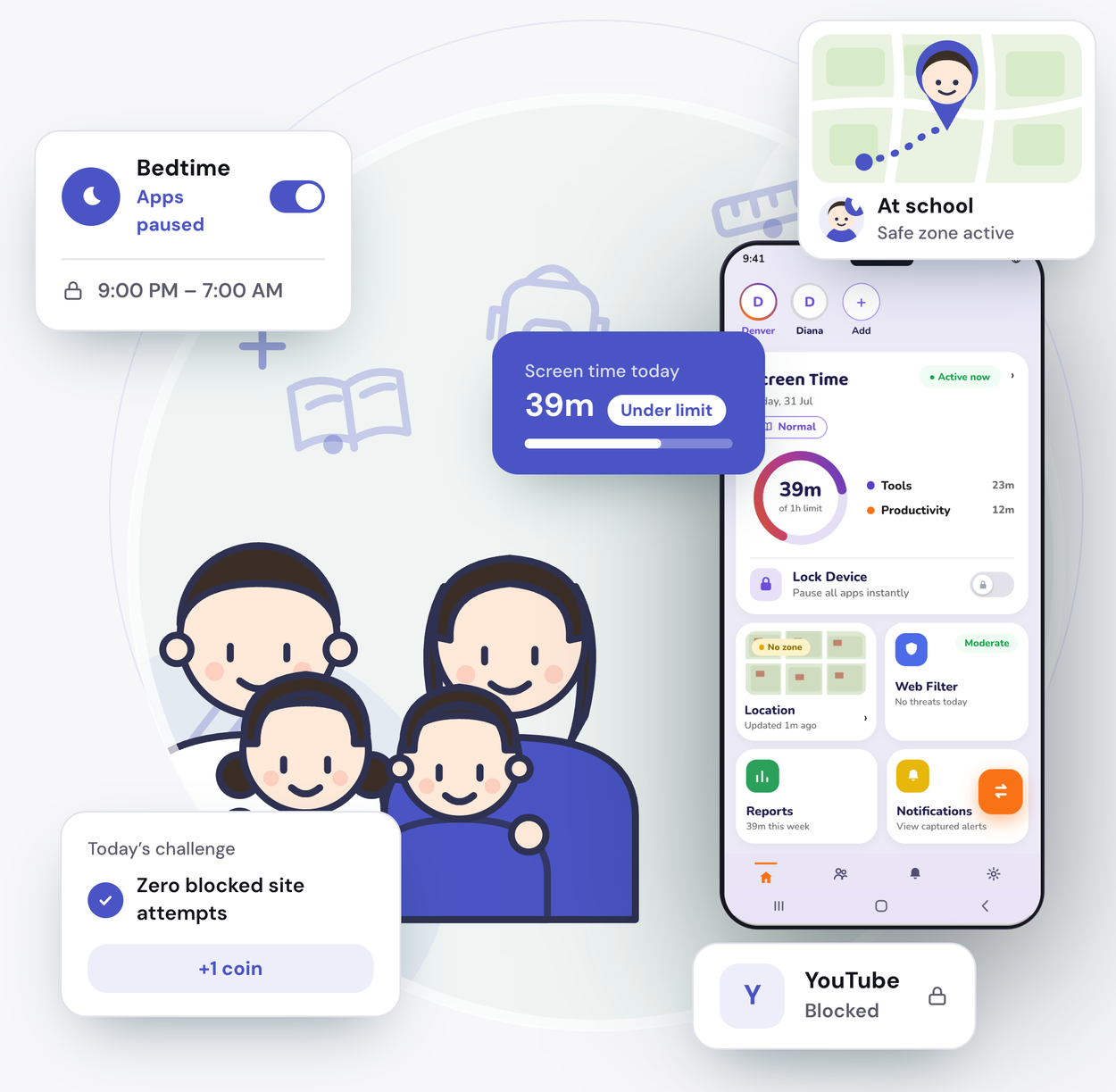
The school sends homework, notes and class links to the phone. Then the reels start. Set the daily limit together. Choose which apps stay open during study hours. Switch to Exam Day when the boards come. Your child earns coins for staying inside the limit, and slowly starts keeping the hours on their own.

What it does
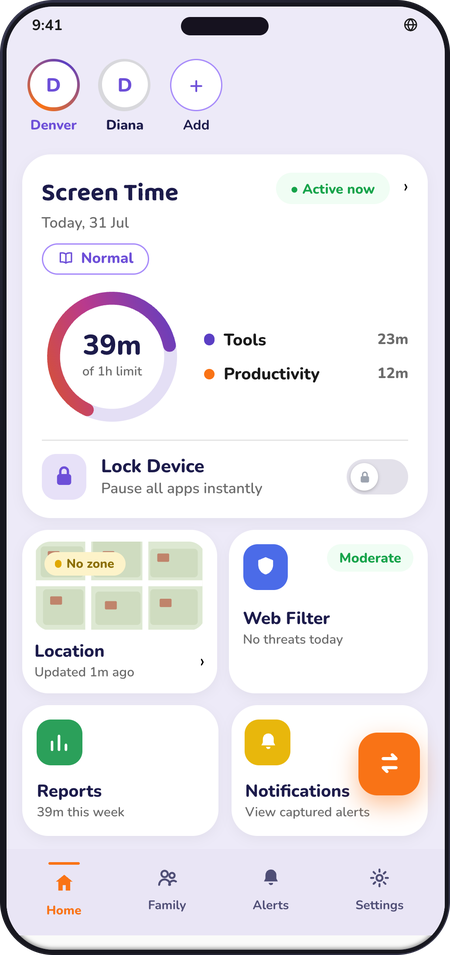
Set it once. It works without you in the room.
A daily limit that holds
When the day’s time is over, the phone winds down on its own. No arguing about it.
One simple choice per app
Allow it, limit it, or block it. And mark the apps that should always stay open.
Exam Day in one tap
One tap changes the whole day for boards, unit tests or revision.
Bedtime
The phone winds down at the time you set, every night. You don’t have to remember.
They ask, you decide
Need twenty more minutes? Your child asks from their phone and you answer from yours.
Both parents, one account
Whoever is at home can hand the phone over. Both of you see the same thing.
Built for shared phones
When they use your phone
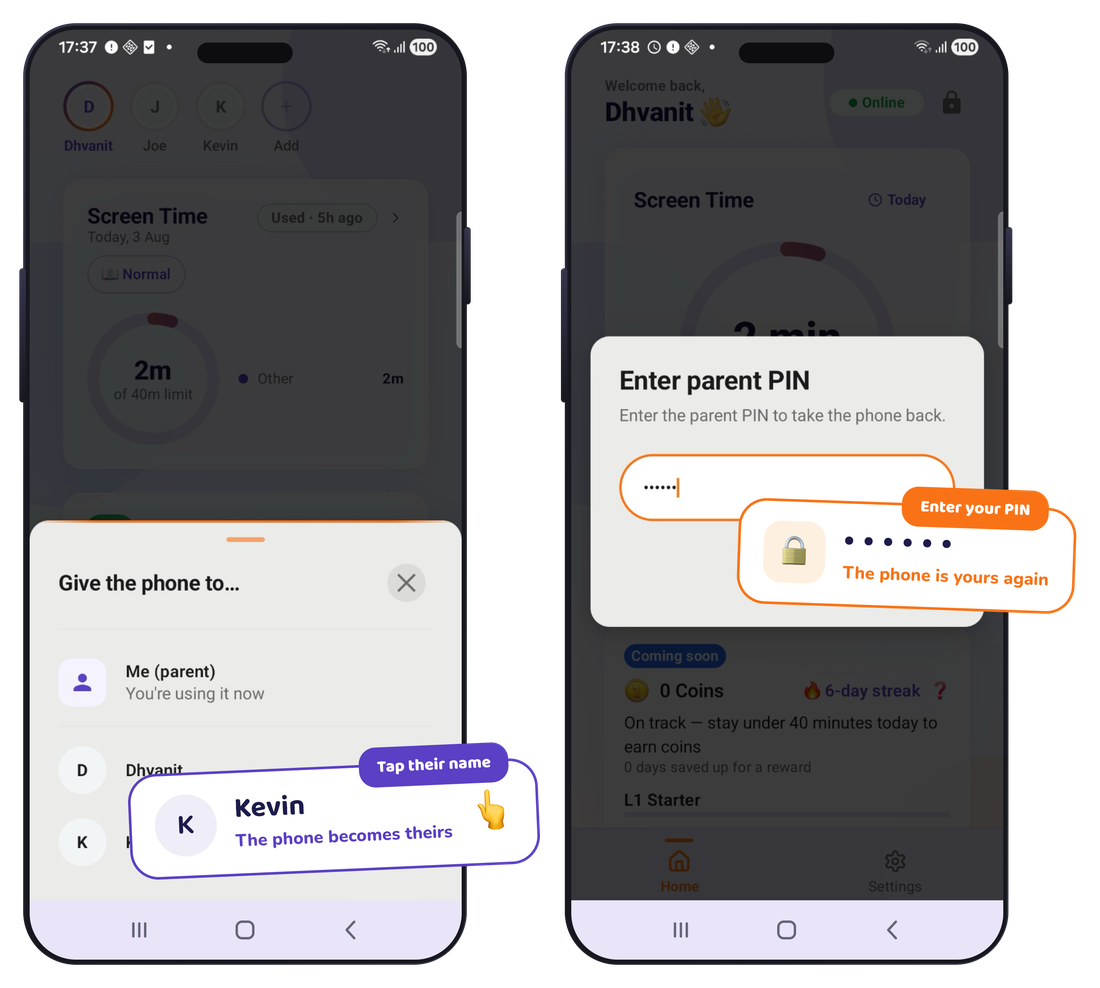
Your phone. Their space. One tap.
Class 2 is early for a phone. It is much too early for the whole internet. Tap once and your phone becomes their space — their own apps, their own time, their own rewards. Type your PIN and it is yours again. You choose which of your apps they can open.
Tap once
The phone becomes theirs.
Their space
Their apps, their time, their rewards. Each child gets their own.
Your PIN
Type your PIN. The phone is yours again.
Good habits start before they own a phone. This is where they learn them.
Two ways to start
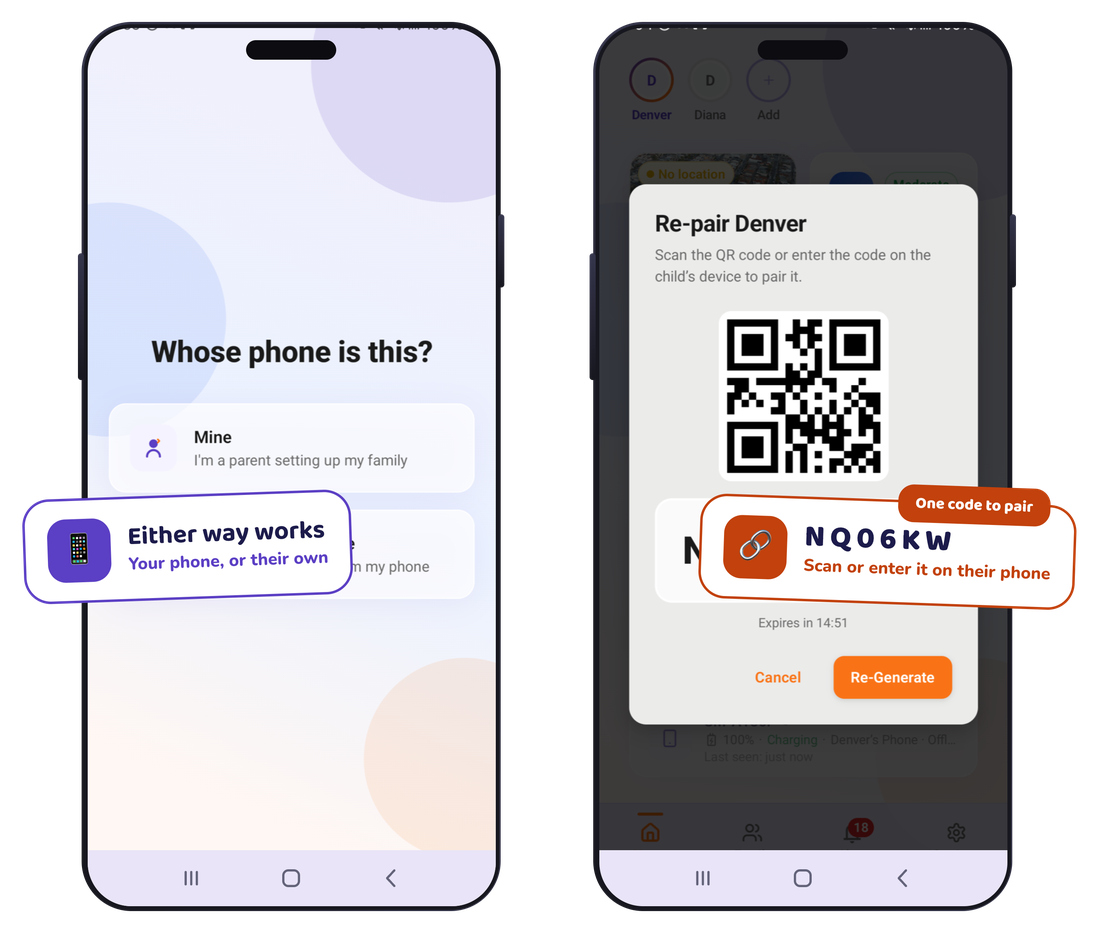
Whether the phone is theirs or yours.
Most Indian families share one good phone. KidMoat was built for that first. Either way, everything after setup is the same — the limits you set together, modes for exam weeks and holidays, and rewards your child actually wants.
They use your phone
Set your child up on your phone. One tap hands it over. Your PIN takes it back.
They have their own
Scan one code to connect their phone. You set everything from yours.
Ready to go
Exam week should not look like a Sunday.
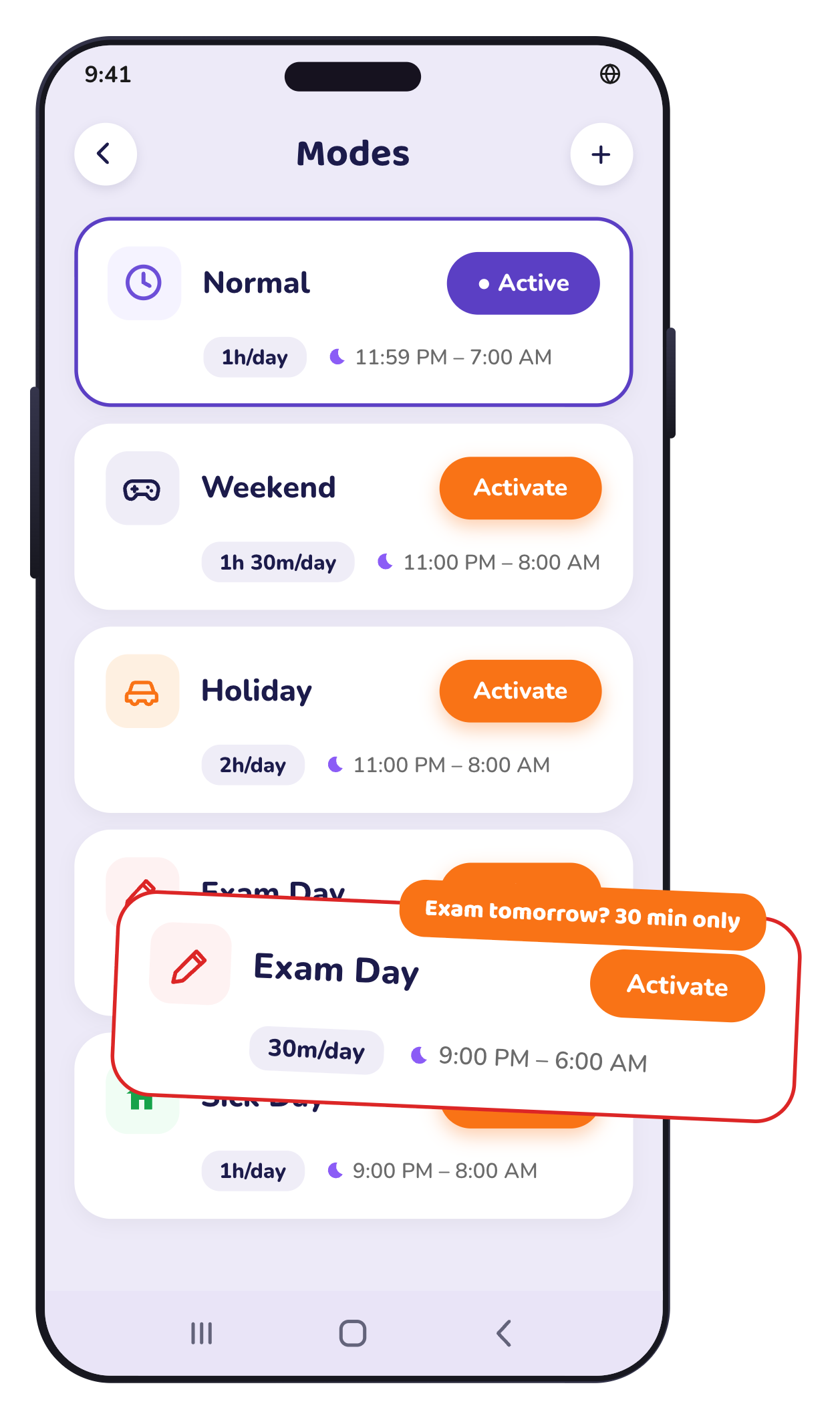
Six ready-made days come set up. Tap one and everything changes together — the day’s time, which apps are open, and when the phone winds down. Exam Day is the one you will use most. No changing settings at 9 at night.
Normal
Weekend
Holiday
Exam Day
Sick Day
Screen-Free Day
Every evening you can see where the time went — app by app, day by day.
Getting there
Did they reach?
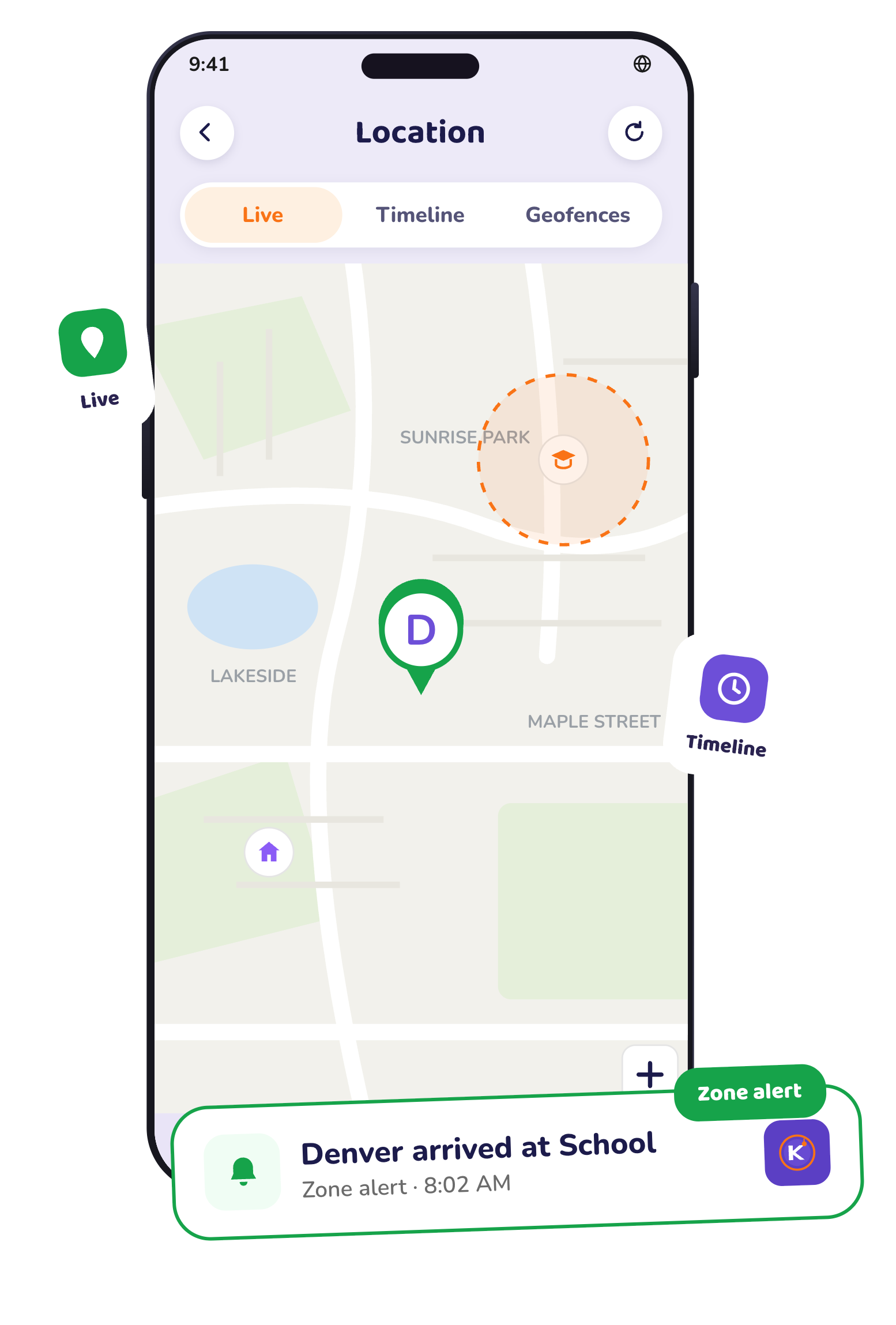
Mark the places that matter — school, tuition, home, a grandparent’s house. You get a message when your child arrives and when they leave. You don’t have to watch a map.
Places that matter
School, coaching class, home. Mark a place once.
One message, not constant updates
You hear when they arrive and when they leave. Nothing in between.
Where they have been
The last thirty days, if you ever need it.
What they can open
Sites they should not see yet.
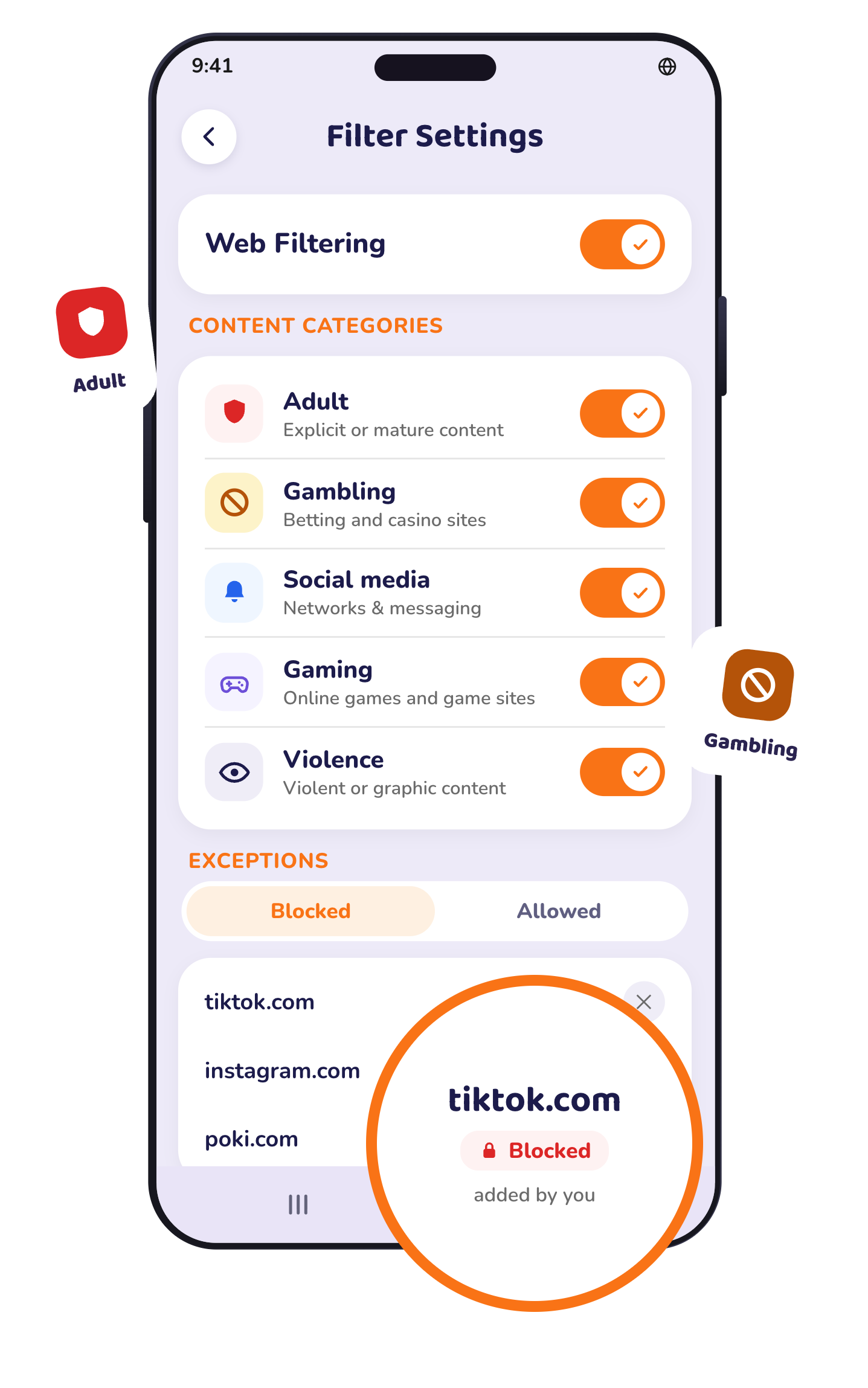
Filtering happens on the phone itself, not on a server somewhere. Choose the kinds of sites you want blocked. Add anything you want opened or closed by name. It also holds up when a child tries the common tricks to get around it.
On the phone
Nothing is sent to us to be filtered.
Categories you choose
Adult content, gambling and the rest. You decide.
Your own list
Open a study site, block a distraction, by name.
What is out there
What your child can run into.
A phone opens the whole internet, and not all of it is meant for a child. Most of the harm does not arrive as a website they searched for. It arrives inside a chat, a game or a video app, from someone who seems friendly.
Bullying, from people they know
Children aged 14 to 16 have access to a smartphone at home.
ASER 2024, via ThePrintStrangers who seem friendly
Chat apps and game lobbies are the usual way an adult reaches a child. Children aged 5 to 14 now use a mobile phone.
Data For IndiaContent nobody searched for
Adult and violent content reaches children through links, autoplay and recommendations, not just search.
What KidMoat does about it
Block the categories you do not want opened. Decide which apps can be used at all, and when. Choose words worth knowing about, and see them flagged when they appear in a notification on the phone.
What KidMoat does not do — said plainly
KidMoat does not read your child’s chats, listen to calls, or record the screen. It sees what a notification shows and nothing behind it. It cannot tell you that a stranger is grooming your child. It reduces what reaches them and gives you a way to notice — it is not a replacement for talking to them.
The safest child online is not the most watched one. It is the one who tells you when something feels wrong.
For your child
The part your child actually likes.
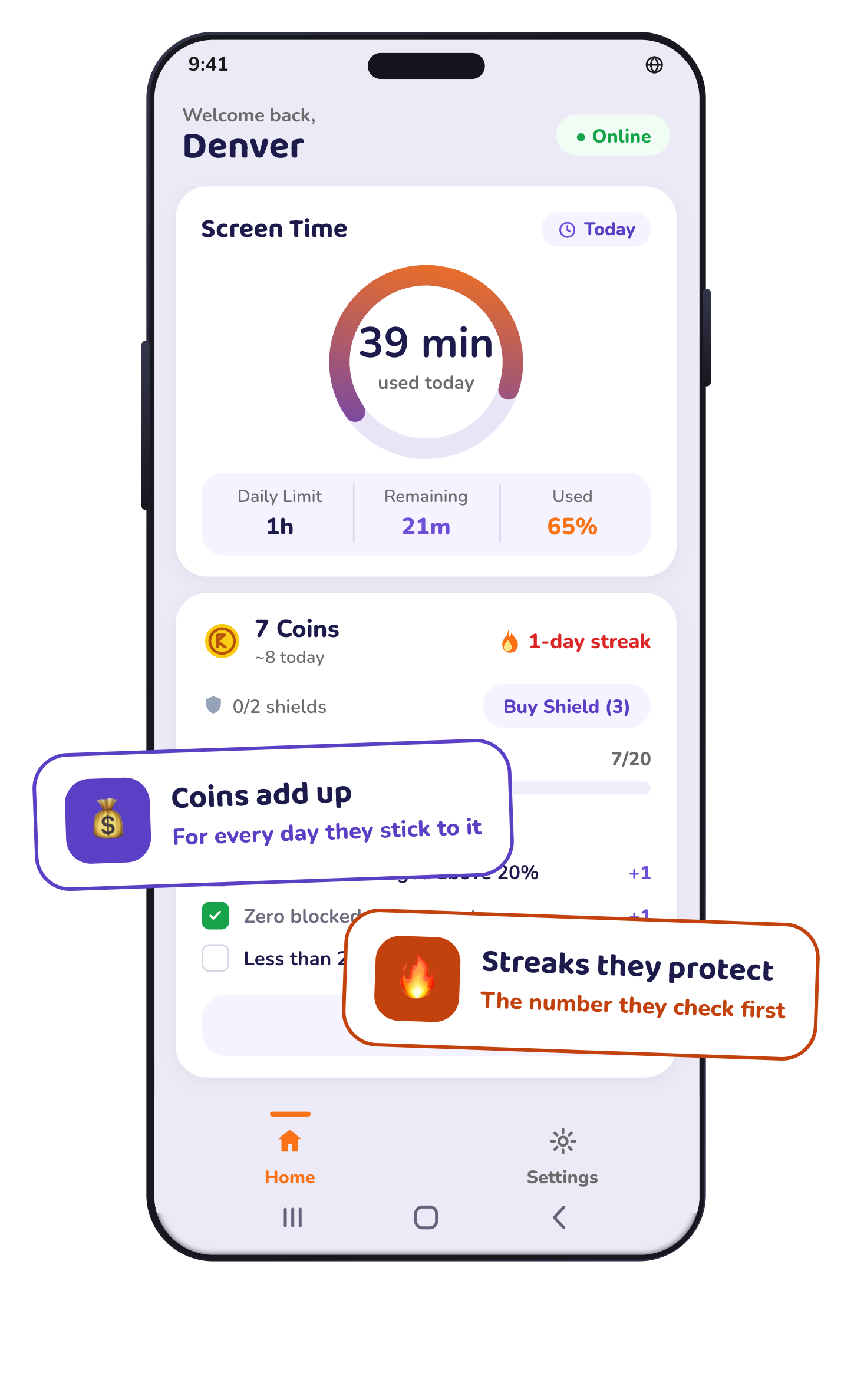
A limit on its own teaches nothing. It only moves the argument. So KidMoat gives your child something to build. They earn five coins on any day they stay inside the limit. They keep a streak going. And they spend what they earn on a reward you chose — an ice cream, a trip to the park, an hour of cricket. A child saving for something real starts making the choice themselves.
Coins
Five a day, for staying inside the limit you agreed.
Rewards
Real things you give them, priced in coins or in days in a row.
Streaks
Days in a row. The number they check first.
Levels
Progress they can see, so the goal is theirs.
Visible, not secret
Parental control should never be secret.
Some apps sold as parental control conceal themselves or collect more than families expect. KidMoat is built around a different principle: protection should be visible, clearly explained, and limited to the features a family chooses to use.
Nothing is hidden
KidMoat appears on your child’s phone under its own name. No disguises, hidden icons, or fake ‘system service’ names.
No secret capture
KidMoat does not secretly activate the microphone or camera, or copy private messages into a remote dashboard.
Clear rules, visible protection
Parents set the boundaries, children can see that KidMoat is present, and the rules are not disguised as something else.
The research
You are not imagining it.
57%
Of rural children aged 14 to 16 who can use a smartphone, only this many used one for study in the past week.
ASER 2023, via National Herald47% of urban parents
Say their child spends three hours or more a day on social media, video and online games.
LocalCirclesMore than 1 in 3
Children in India say they have been bullied online — the highest rate in the world.
The Growing Threat of Cyberbullying in India1,099 of 1,238
Cyber crime cases recorded against Indian children in 2024 involved sexually explicit material.
NCRB 2024, via The TribuneSmartphones are tools, not babysitters. Knowing where the hours go is the first step to changing them.
What it costs
The same product, three ways to pay.
One plan, three ways to pay for it. The longer you commit, the more children it covers.
Prices are shown without GST. GST (18%) is added at checkout.
Monthly
Up to 2 children
Renews automatically every month until you cancel
Quarterly
Up to 5 children
Save 25%
Renews automatically every 3 months until you cancel
Yearly
Best offerUp to 10 children
Save 50%
Renews automatically every year until you cancel
Every plan includes everything
- Screen time limits and schedules
- Per-app limits and screen time modes
- Web content filtering
- Location and safe zones
- Coins, rewards and streaks
- Daily and weekly reports
- Co-parent access
Your free trial starts when you pair your first device — no card needed. Payments are handled securely by Razorpay. Cancel any time: you keep full access to the end of the period you have paid for.
Questions
The questions parents actually ask
How does KidMoat help during boards and competitive exams?
Switch to Exam Day in one tap. The day’s limit, the apps that stay open, and the bedtime all change together — and change back when you switch out of it.
My child and I share one phone. Does that work?
That is exactly what KidMoat was built for. One tap hands the phone over and it becomes your child’s space. Your PIN brings it back. You choose which of your apps stay open while they have it.
Can my child uninstall it?
Yes, they can. And you will know the moment it happens, because KidMoat tells you that protection was switched off. We would rather say this plainly than promise a lock we do not have.
What do the coins actually buy?
Real things that you decide — an ice cream, a trip to the park, an hour of cricket. Coins never buy extra screen time or a later bedtime. That is on purpose. The reward should be something you give them, not more of the thing you are limiting.
Who answers if something goes wrong?
KidMoat is built by an Indian company and follows India’s Digital Personal Data Protection Act, 2023. A Grievance Officer is named in our privacy policy and replies within 30 days. You can also complain to the Data Protection Board of India. Your data is encrypted when it travels and when it is stored. Our servers are in the European Union.
Does it work on iPhone?
Not yet. KidMoat is only on Android today. If your child uses an iPhone, KidMoat cannot help you yet, and we would rather say so before you sign up.